Converting an image to PDF looks like a one-click job, and every tool out there will happily do it in one click — which is exactly why people end up with 30 MB PDFs holding blurry photos, or a passport scan shoved into the corner of an A4 page. The conversion itself is trivial. The decisions around it are what determine whether the result is usable. Here’s what actually matters.
Table of Contents
- What Happens When an Image Becomes a PDF
- The Three Decisions That Actually Matter
- How to Convert Images to PDF Online
- Multiple Images Into One PDF: The Order Problem
- Which Format to Feed It
- >JPG to PDF on Windows, Mac and Mobile
- Frequently Asked Questions
- Converting Specific Image Types: What to Expect
- Reducing Image-to-PDF File Size Without Losing Quality
- The Short Version
What Happens When an Image Becomes a PDF
A PDF page is a canvas with fixed dimensions — usually A4 (210 × 297 mm) or Letter (216 × 279 mm). Your image is a rectangle of pixels with its own dimensions. Conversion decides one thing above all: how your image’s rectangle gets placed on the page’s canvas. The tool either scales the image to fit inside the page, stretches it to fill the page, or centers it at its original size. Nothing about the image data itself changes — a 4000-pixel-wide photo is still 4000 pixels wide inside the PDF. This is worth knowing because it means “conversion” never damages quality by itself. Only the scaling step does, and only if you let it upscale.
The Three Decisions That Actually Matter
Page size: match the destination, not the default
If the PDF will be printed, pick the paper size first — A4 for most of the world, Letter for the US. If it’s going on a screen, page size matters less but A4 still keeps things predictable. The wrong page size is why a single photo becomes a mostly-white A4 sheet with a small image floating in the middle.
Fit mode: contain, fill or original
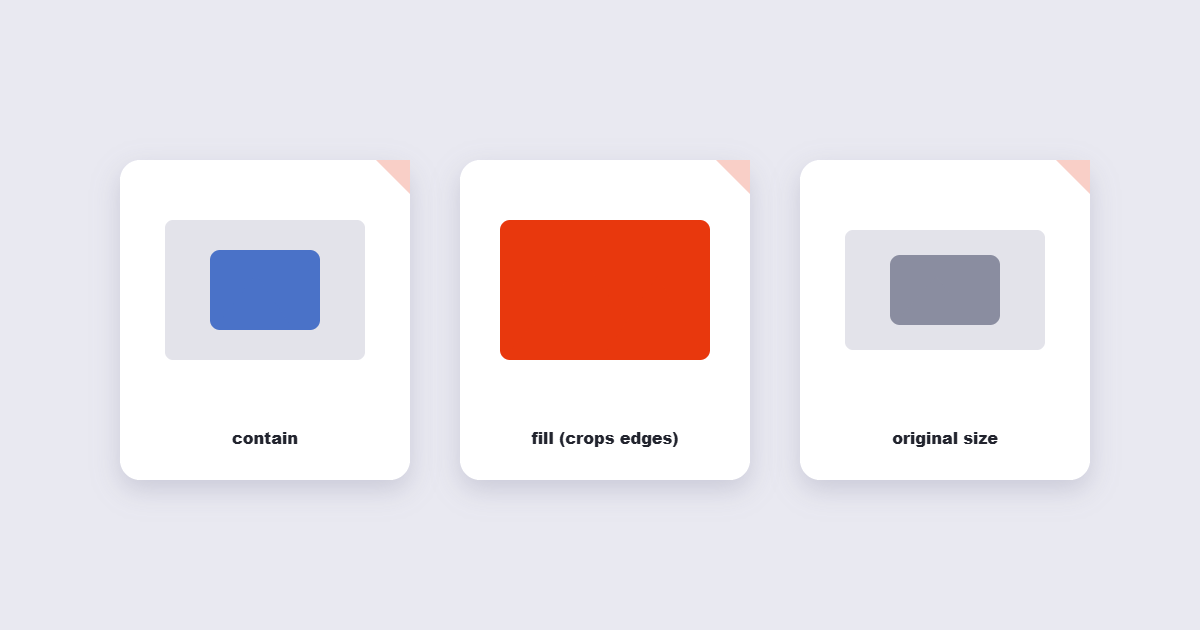
Contain (fit inside the page) is the safe default: the whole image is visible, with margins. Fill (cover the page) crops the edges — good for photo-first documents, bad for anything with content near the border, like a certificate or an ID card. Original size drops the image at its native pixel dimensions, which is correct for scans that must measure accurately later.
Quality: leave it alone unless the file is huge
Every tool offer a compression slider. If you’re converting phone photos, 80–85% JPEG quality cuts the file size by half with no visible difference on screen. Below 70%, text in screenshots starts going fuzzy. If the PDF is going to a printer, leave quality at maximum — print magnifies compression artifacts that screens hide.
How to Convert Images to PDF Online
The browser route handles the common cases in under a minute:
- Open the Image to PDF tool and add your images.
- Set the page size (A4 unless you know better) and pick fit mode — contain for mixed content, fill for full-bleed photos.
- If you have several images, drag them into the right order before converting.
- Convert, download, then open the result once to check the first and last page.
Multiple Images Into One PDF: The Order Problem
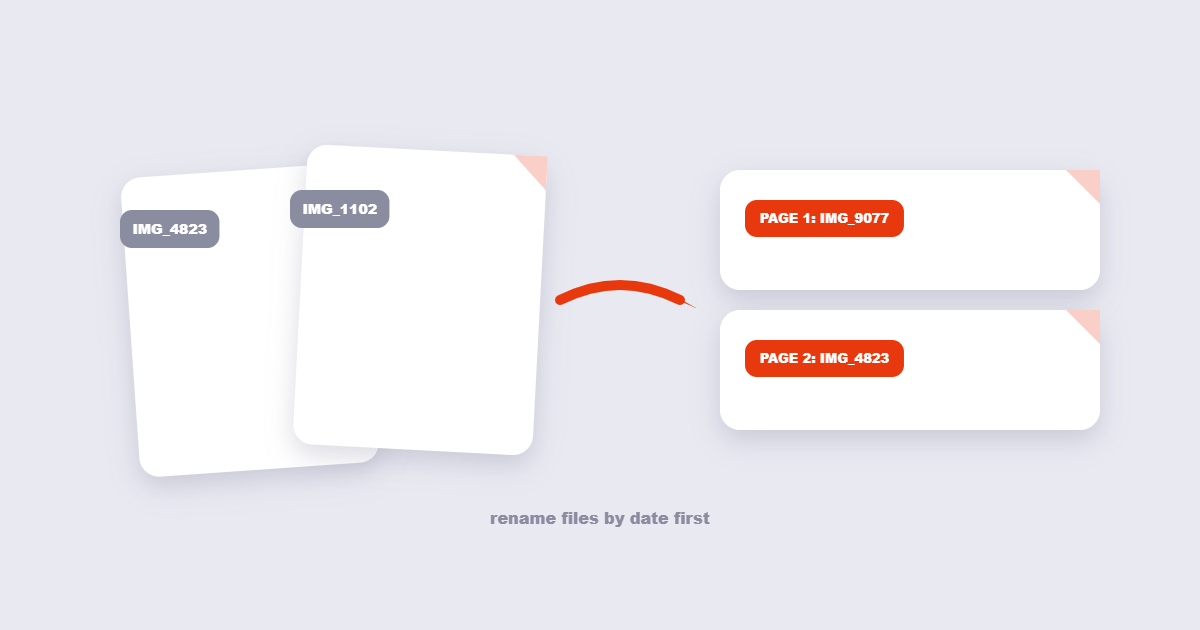
Converting 40 receipt photos into one PDF is the most common real job, and the failure mode is always the same: the upload order becomes the page order, and the upload order is whatever order your file manager handed over. If the receipts need to be in date order, rename them first (2026-01-05-receipt.jpg sorts correctly; IMG_4823.jpg does not) or reorder them in the tool’s thumbnail view before converting. A PDF is linear — fixing page order means rebuilding the file, which takes a second round trip.
Which Format to Feed It
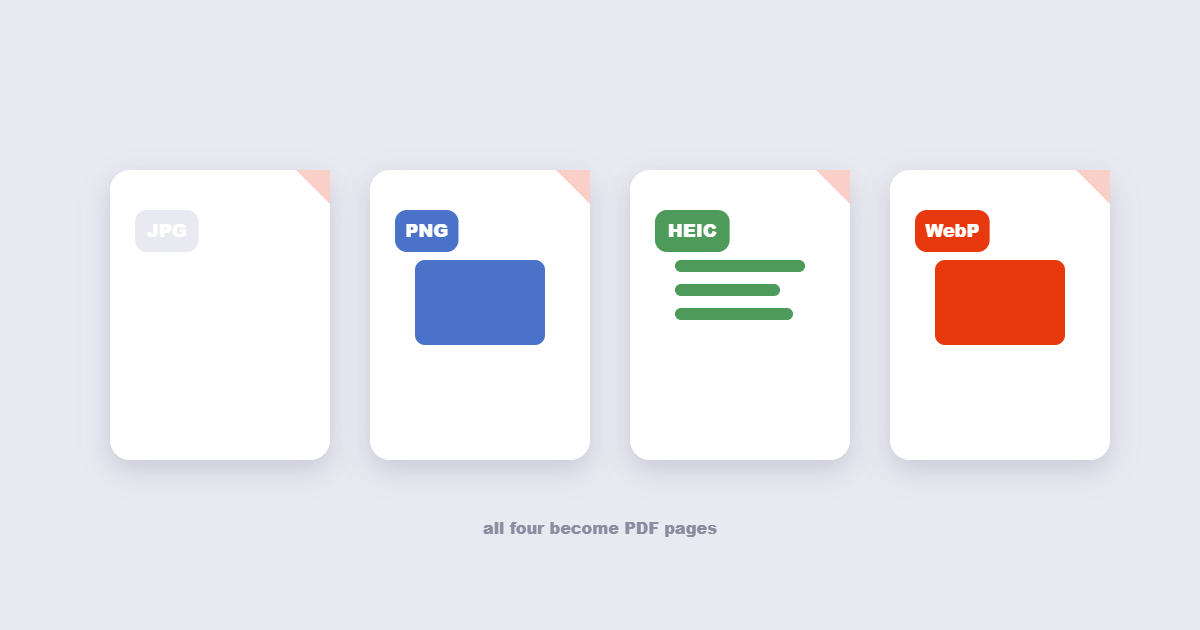
| Source | What to expect | Best for |
|---|---|---|
| JPG | Smallest file, slight quality loss already baked in | Photos, scanned pages |
| PNG | Sharp text, larger file, transparency kept | Screenshots, logos, charts |
| HEIC | iPhone default — every tool convert on the fly | Direct-from-phone uploads |
| WebP | Small files, mixed tool support | Images saved from the web |
>JPG to PDF on Windows, Mac and Mobile
Windows
Open the JPG in the Photos app, click the print icon, and choose “Microsoft Print to PDF” as the printer. This creates a PDF sized to the paper size you select. The result is good for a single image; for multiple images or custom page layouts, the online tool is faster.
Mac
Open the image in Preview, go to File → Export as PDF. Preview keeps the image at its original dimensions — it doesn’t resize to A4. For a submission that needs a specific page size, use the online tool or print to PDF with paper size set in the print dialog.
iPhone
Tap Share on the photo, scroll to Print, then pinch-zoom outward on the preview. This saves the page as a PDF to Files without any app. It works but gives you whatever page size the phone defaults to — not always A4.
Android
Open the image in Photos or Gallery, tap the three-dot menu, choose Print, select “Save as PDF”. Works similarly to iPhone — page size is device-dependent. The online tool gives you control over page size and quality that the built-in route doesn’t.
Frequently Asked Questions
Does converting JPG to PDF reduce quality?
No, as long as the image isn’t being upscaled to fill the page. Conversion copies the pixel data into the PDF unchanged. Quality loss only comes from a compression setting you chose, or from sending a small image into a large page and letting the tool stretch it.
Can I put multiple images on one PDF page?
Yes, but plain converters give each image its own page. For several images per page — like a photo grid — you need a layout option, which the merge images tool handles better than a straight converter.
Why is my image-to-PDF file so large?
One PNG screenshot on an A4 page can weigh 5 MB. Re-save the source as JPG first, or convert with the quality slider at 80–85%. Both typically cut the file to a quarter of the size with no visible change on screen.
Can I convert an image to PDF on my phone?
Yes — the online tools work in mobile browsers, and on iPhone the share sheet’s “Print” → pinch-out trick creates a PDF locally with no app.
Converting Specific Image Types: What to Expect
Phone photos (HEIC / JPG from iPhone or Android)
Modern phone cameras shoot at 12–200 MP depending on the model. A single photo can be 8–25 MB as a JPG. Converting directly to PDF at full size produces a large but print-quality result. For emailing or sharing, convert at 80–85% quality — the difference is invisible on screen but cuts file size to a quarter. HEIC files (iPhone’s default since iOS 11) are converted automatically by most online tools; if a tool rejects them, export the photo as JPG from your Photos app first.
Screenshots (PNG)
PNG screenshots preserve text sharpness because PNG uses lossless compression. Converting them to PDF keeps the text readable. If you’re combining screenshots with photos, keep quality high — lowering it compresses the entire PDF, and screenshot text at 70% quality starts to blur. Set page size to match screen proportions (16:9 or 16:10) rather than A4 if the screenshot will be read on screen only.
Scanned documents (high-res JPG or TIFF)
A scanner at 300 DPI is the standard for print-quality documents. Below 200 DPI, printed text becomes difficult to read; above 600 DPI, file sizes grow without visible benefit on standard paper. When converting scanned pages to PDF, use the “original size” fit mode so the PDF dimensions match the scanned paper exactly — this keeps any physical measurements on engineering or legal documents accurate. If the scan needs to be searchable, run OCR after conversion, not before.
ID cards and passports
A scan of an ID card embedded into an A4 PDF looks lost — a tiny card surrounded by white space. Either use a tool that lets you set the page size to match the card dimensions, or crop the scan tightly before converting. For official submissions, check whether the accepting institution wants the PDF page to be A4 with the ID centered, or the page sized to the card itself — requirements differ.
Reducing Image-to-PDF File Size Without Losing Quality
Large image PDFs are the most common file-size complaint. Here’s what actually works:
- Resize the source image first. A 4000-pixel-wide phone photo in a document that will only ever be read at 1000px wide is carrying 16× the data it needs. Resize to 1500–2000px wide before converting — undetectable on screen, dramatically smaller file.
- Choose JPG source over PNG for photos. A PNG photo is typically 3–5× larger than the equivalent JPG. Convert photo files to JPG before feeding them to the PDF converter.
- Use the quality slider at 80–85% for screen-only documents. Below 70%, text in screenshots goes soft. Above 85%, diminishing returns on size reduction.
- Compress after converting. If the converter doesn’t offer quality settings, convert first and run the result through a PDF compressor afterward as a separate step.
- Don’t combine high-res photos with PNG screenshots in one PDF. They need different quality settings. Convert separately and merge the PDFs afterward.
The Short Version
Pick the page size for the destination, use contain-fit unless you deliberately want full-bleed, leave quality at maximum for print and around 80% for screen. Order images before converting, because page order is upload order. The conversion doesn’t hurt quality — the settings you chose do, and now you know which ones matter. For large multi-image PDFs, resize source images first and compress afterward — those two steps do more than any converter setting.